
Home » Download

DB33 App Download for Android and iOS — Fast, Safe, Updated
Download DB33 app now for faster cricket markets, slots, and secure access
Get the official app for quick betting on the go. The DB33 app download gives BD users fast load times, one-tap entry, and smooth match-day performance on regular mobile data. Track odds, place bets, and move between markets without delays.
Cricket stays front and center with live odds and updates, while JILI slots open instantly from the lobby. Install in minutes, verify once, and enjoy trusted access that fits your phone and data plan on DB33 Online.
Why the DB33 app suits fast, on-the-go play for local users
Built for quick actions and low data use, the DB33 mobile app keeps you closer to live markets and popular games in fewer taps.
Fast loads on regular data, even during big cricket nights
Pages and odds refresh quickly on 3G/4G. The app caches key screens so you can reopen markets without waiting, even when networks feel busy.
One-tap login with PIN or biometrics for instant entry
Save time with quick DB33 login options. Use a secure PIN or your device biometrics to get back to your slips in seconds.
Cricket-first experience with real-time odds and score widgets
Follow pre-match and in-play lines with swift updates. Quick filters make it easy to find wickets, boundaries, and session markets without losing pace.
Direct game access including JILI with quick lobby switching
Open JILI and other slots from the home screen. Jump back to sports in one tap and keep your betslip ready.
Trust signals and verified details that match on payouts
Your verified profile helps make sure your account name matches payment details. Alerts confirm changes to login, password, and device, adding confidence on every session.
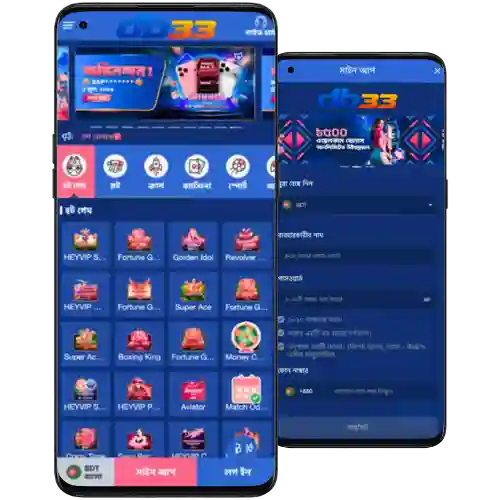
Step-by-step guide to download, install, and update the DB33 app
New to DB33? Create your account first, then install the app for quicker access to bets and games with DB33 Register.
- Open the DB33 official site in your mobile browser and sign in or create an account.
- Tap the Download button and choose Android or iOS.
- Android: tap the Android option to get the latest DB33 apk file.
- When prompted, allow your browser (e.g., Chrome) to install apps from this source.
- Open the downloaded .apk and confirm Install. The app will appear on your home screen.
- iOS: tap the iOS option and follow the on-screen steps. If a profile is required, allow the install and trust it in Settings.
- Launch the app, complete login, and enable notifications for match updates and offers.
- For updates, accept in-app prompts or reinstall the newest apk from the official site.
Mobile features built for speed, easy login, alerts, and clean navigation
- Lightweight build that opens fast on typical BD networks, even during peak hours.
- Smart caching for quick return to your last league, market, or JILI slot.
- Biometric and PIN login for faster re-entry and fewer password resets.
- Cricket shortcuts to popular markets with match stats and quick filters.
- Instant game launch for JILI and other slots without extra loading screens.
- Real-time notifications for odds moves, settlement alerts, and bet results.
- Clean tabbed navigation and dark mode to reduce eye strain at night.
- Data saver that trims images and updates only what you need.
Exclusive app offers, reload deals, and cricket campaign alerts on mobile
Turn on push alerts to catch app-only reload deals, match-day odds boosts, and JILI spin campaigns timed to big fixtures.
New and returning players can track their latest rewards in the promo hub, including any active DB33 bonus tied to app installs or reload milestones.
Cricket promos are prioritized during major series, so you see price boosts and early lines first on mobile.

DB33 app download and install FAQs for quick mobile help
Is the DB33 app free to download and use?
Yes. Installing the app is free. Data charges from your mobile provider may apply when you browse, update, or play.
How do I allow Android to install the DB33 apk?
After downloading, tap the file. When prompted, allow your browser (e.g., Chrome) to install apps from this source, then tap Install.
Why does iOS ask me to trust a profile during install?
Some iOS installs require a profile. Approve it during setup, then go to Settings to trust the profile so the app can open normally.
What’s the best way to update the DB33 app?
Open the app and accept update prompts. If you use Android and need a fresh build, re-download the latest apk from the official site.
The app feels heavy on my phone. How can I fix that?
Clear cache in app settings, enable data saver, close background apps, and keep your OS updated for smoother performance.
Ready to download the app and get started in minutes
Set up your account, install the app, and jump into live cricket plus JILI in a few taps. Quick login, smart alerts, and clean tabs keep everything fast.
Don’t miss form swings or price moves. Start your DB33 app download today and stay a step ahead from pre-match to full time.